Who to contact
Capture the person and the best way to reply.
- Name
- Phone
Replace a static quote form with a guided request flow that asks one focused question at a time, saves every answer to a contact, and gives your team the context to follow up faster.
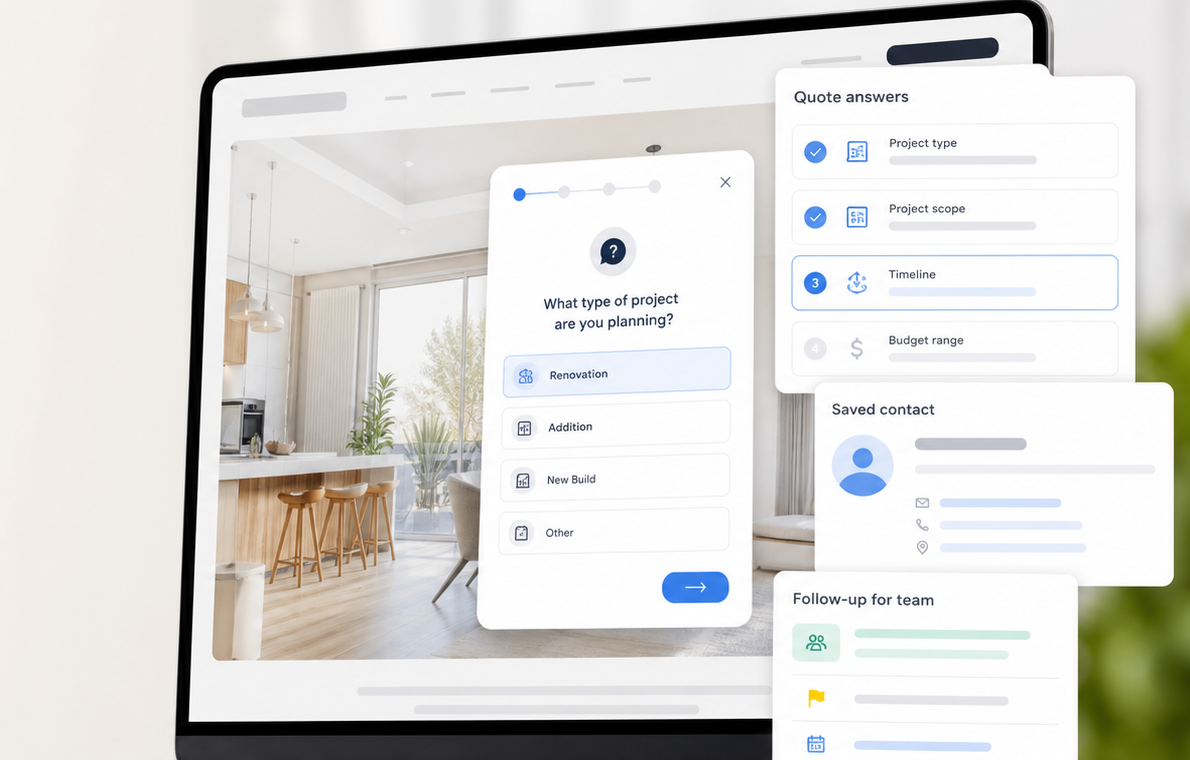
A quote request form is a website form that collects the details a business needs before estimating price, scope, timing, or availability. It usually asks who the visitor is, what service they need, what the project involves, and how soon they want a response.
A quote request form should not feel like paperwork. It only needs to capture who the lead is, what changes the estimate, and how your team should follow up.
Capture the person and the best way to reply.
Ask for the details that actually affect the quote.
Set expectations so the lead knows the request landed.
These are the exact quote request form questions this template starts with. Use them as-is, then add branches for the details each service needs before pricing.
Use this template in DialogMakerCopy/paste version
Launch the first version quickly. Start with the template, add the few details your team needs, and put it on the page where visitors ask for pricing.
Choose the quote request template and make it yours.
Ask the basics, then branch only when a service needs more context.
Embed the flow where visitors already ask about pricing.
Searchers do not only need a request a quote form. They need the same fields asked in an order that produces enough context for a real estimate and a clean follow-up.
Static quote form
Every field appears at once, so the visitor has to interpret the whole request before your team gets a flat submission.
DialogMaker guided quote conversation
DialogMaker results view
Submission summary
Answer columns from the submitted run
Use the same get a quote form structure, then swap in the fields that match your service, sales process, and follow-up workflow.
Qualify business goals, current site status, page count, content readiness, budget range, and launch timing.
Collect service type, property location, project urgency, photos, and the best time to schedule a visit.
Understand the business problem, team size, desired outcome, timeline, and decision process before the first call.
Ask about channels, monthly spend, audience, lead goals, existing analytics, and campaign urgency.
Short answers for teams comparing quote form templates, online quote form builders, and website quote form workflows.
A quote request form should include name, email, phone, service needed, project description, budget range, timeline, file upload, preferred follow-up method, and a clear thank-you or next step. The goal is to collect enough context for a useful follow-up without overwhelming the visitor.
Start with the questions your team asks before estimating price. Put the most important questions first, add conditional follow-ups for different services, publish the form on your website, and review each submission with the contact history attached.
A contact form usually asks who someone is and how to reach them. A quote request form also asks what they need, what affects the estimate, when they need help, and what context the team needs to reply with a useful quote.
Yes. DialogMaker quote request flows can be embedded on a website as a chat widget, inline flow, or button-triggered experience so visitors can ask for a quote without leaving the page.
Yes. A quote request form template gives you the core structure, including contact details, service needed, project scope, budget range, timeline, file upload, preferred follow-up method, and confirmation. In DialogMaker, you can start from a lead generation template and customize the questions for your business.
Start with a guided quote request flow, customize the fields, and give your team saved contact history before the first follow-up.
Use this template