Agencies
Ask about current site, goals, content readiness, integrations, stakeholders, budget, and launch timing.
Use a guided intake flow to ask about service needs, goals, budget, timeline, files, and contact details one step at a time. DialogMaker turns the answers into follow-up-ready contact context instead of a vague message in an inbox.
For teams that need more than a message box
This template is best when the next step depends on the client’s answers. Instead of asking your team to interpret a vague message, the flow gathers context before the first reply.
Start with the questions your team keeps asking later
These prompts are designed for project, consulting, agency, and service-business intake. Keep the core flow, then add conditional follow-ups for your specific service.
Group the first conversation around decisions your team actually needs to make.
Use branches when an answer changes the next step.
Route the conversation before the client writes a vague paragraph.
Separate a task request from the business outcome behind it.
Spot urgency, scope, and history before your team books the first call.
Leave the team with a clean record and a clear next action.
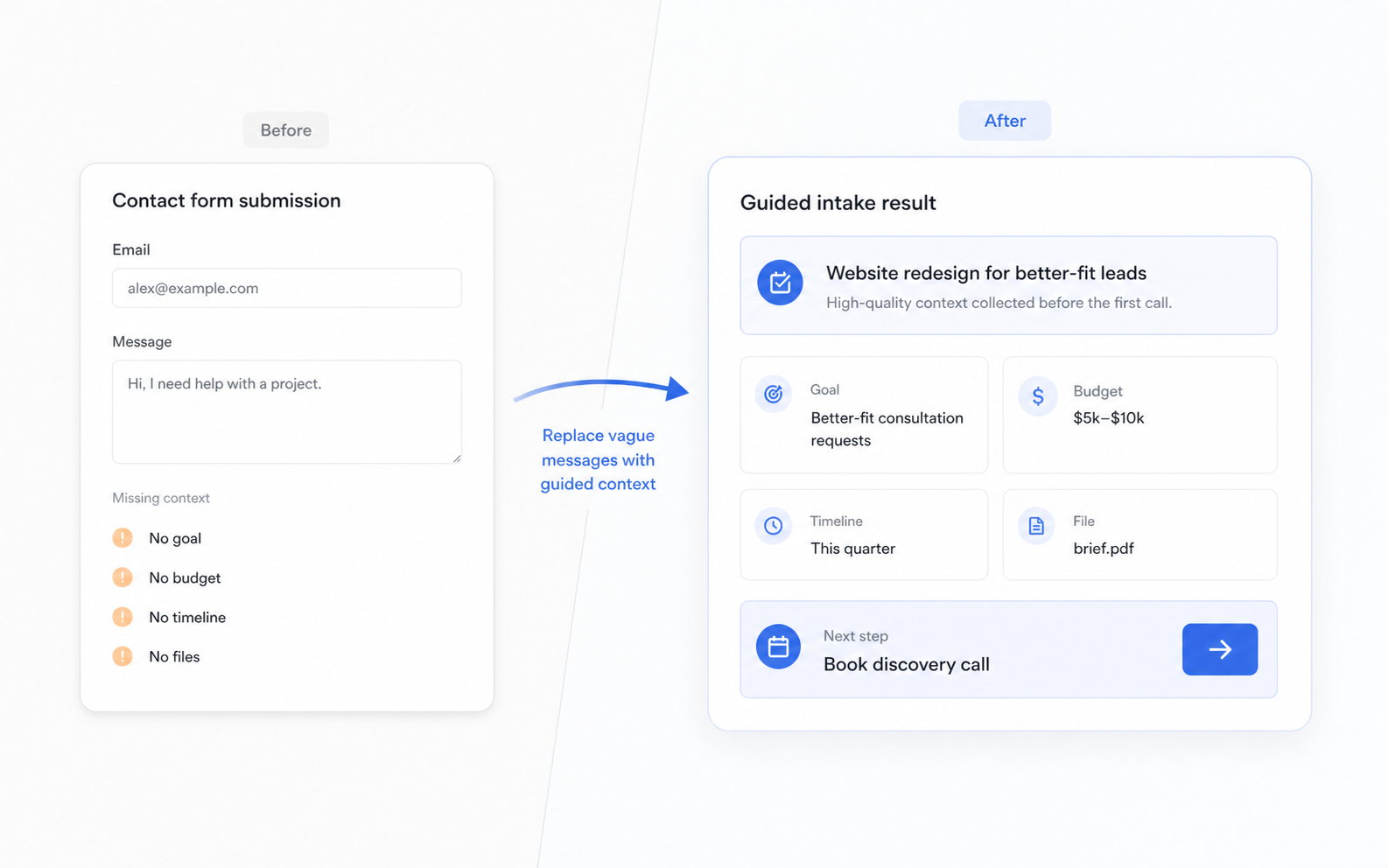
Static intake form
A long page of fields can still leave your team guessing when the client writes “need help with a project” and skips the details that affect follow-up.
Guided intake flow
A guided intake asks one focused question at a time, branches when needed, and keeps answers attached to the contact record your team uses for follow-up.
What your team receives after submission
The useful part of intake is not just the form. It is what your team can see when deciding how to reply.
Adapt the template to your service
Keep the core client intake questions, then add only the service details that change how your team qualifies, quotes, or follows up.
Ask about current site, goals, content readiness, integrations, stakeholders, budget, and launch timing.
Ask about the business problem, team size, decision process, desired outcome, urgency, and previous attempts.
Ask about service type, location, photos, urgency, budget range, and the best way to follow up.
FAQ
Answers for teams replacing vague contact forms with guided intake.
A client intake form collects the information a team needs before a first call, proposal, quote, or project handoff. It usually covers contact details, project goals, budget, timeline, files, and follow-up preferences.
A useful client intake form should include who the client is, what they need, what outcome they want, when they need it, what budget range they have in mind, and any files or links that help the team respond.
A contact form is usually a short message box. A client intake form is designed to collect enough structured context for a useful next step, so the team does not have to restart the conversation by email.
Start with a guided client intake form
Launch the template, customize the questions, and give your team a clearer record before the first call.
Use this template